
Never drive to a charger that is already taken.
Evhubi maps the charging points around you, filters them to the plug your car actually uses, and lets you hold the bay before you leave. Pay per kWh, in pesos, with a receipt at the end.
Own a charger instead? List your station →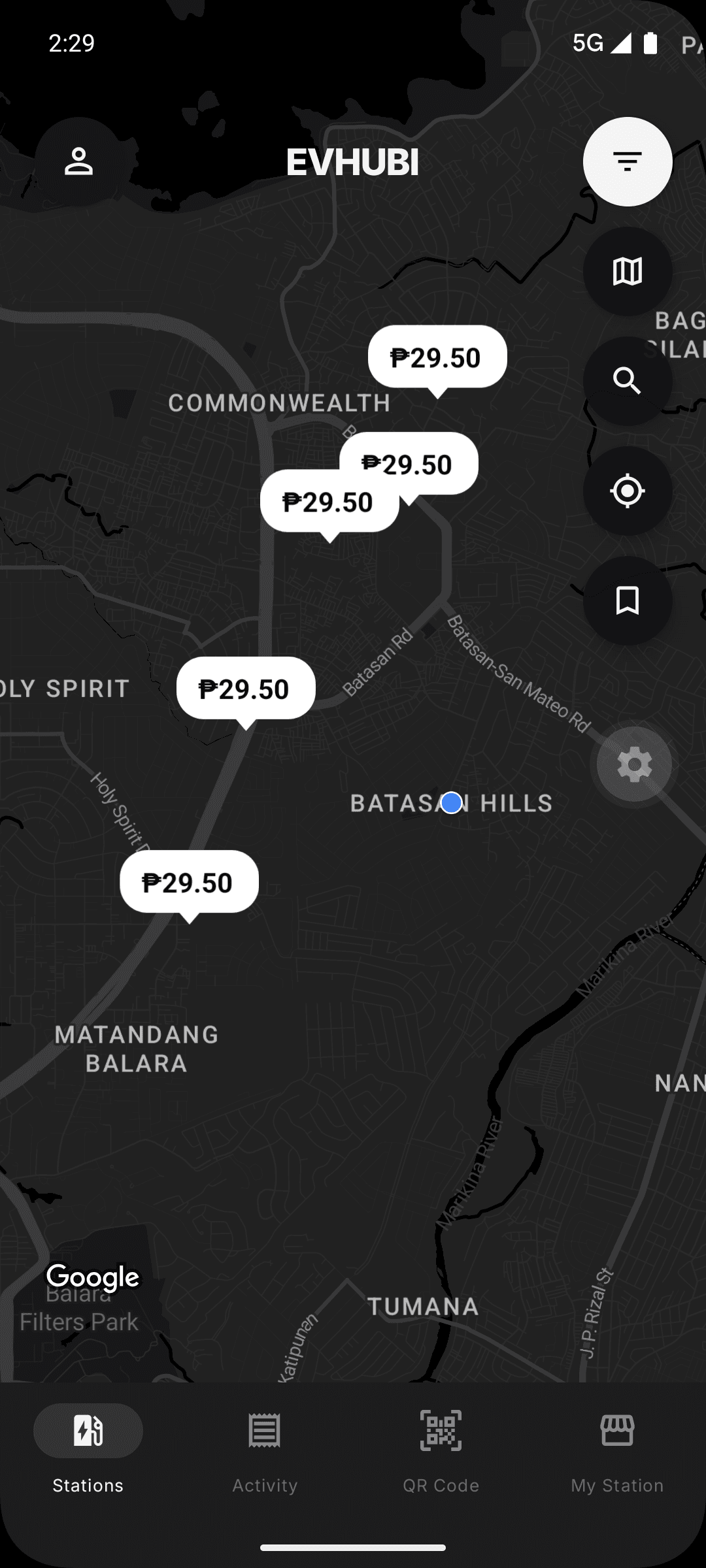
Charging in the Philippines should not be a gamble.
- A listing from a group chat, a mall directory and a two-year-old blog post — none of them agreeing.
- Forty minutes of driving to a connector your car turns out not to take.
- Queueing behind a car that plugged in ten minutes before you arrived.
- Whatever the meter said, paid, with nothing to show for it afterwards.
- One map, and every station on it reviewed before it appeared there.
- Filtered to the plug your car actually uses, before you turn the key.
- A 30-minute slot held on one connector. The bay is yours when you pull in.
- Energy, duration, rate and total, itemised in pesos and kept per vehicle.
What is Evhubi?
One app for drivers. One dashboard for the people who own the chargers. The same station record behind both.
Evhubi is a mobile charging platform that connects EV drivers in the Philippines with the charging points around them — public hubs, mall basements and privately owned chargers alike.
Every station in Evhubi is reviewed before it appears on the map, carries its real connector types and per-kWh rate, and is kept current by the operator who runs it. Drivers get one app for finding, reserving and paying. Operators get a dashboard for the sessions, users and revenue those chargers produce.
Read our mission →Find it, hold it, charge it, keep the receipt.
- 01
Find
Chargers near you, updated as you pan and filtered to the plug your car actually takes.
- 02
Hold
Book a 30-minute slot on one connector, up to 14 days ahead, and the bay is yours when you pull in — no queueing behind a car that started ten minutes ago.
- 03
Charge
Your phone shows a code. The operator scans it. Charging starts.
- 04
Receipt
Energy, duration, rate and total, itemised in pesos and kept per vehicle.
One app, three sides of the same problem
People who drive electric daily
Commuters and ride-hail drivers who need to know — before leaving — that a working charger with the right plug is free at the other end.
What drivers get →People who own the charger too
You drive electric and you had a charger put in. It works one hour a night and no driver outside your street can see it. List it, set your rate, choose the hours.
List a private charger →Buildings with bays to fill
Malls, condos, hotels, offices, fleet yards and rest stops. List each site, set the rate per kWh, and read sessions, users and peso totals across all of them.
List a site →Your charger earns nothing while it sits idle.
Submit your station, set your per-kWh rate, and get a dashboard for sessions, users and totals. Listings are reviewed before they go live.
The questions we get most.
Can I download Evhubi today?
Not yet. The app is finished and in testing, and the App Store and Google Play links go live with the public release. Join the early-access list and we will email you on the day it ships.
What does a charge cost me?
Each operator sets their own rate per kWh, and that rate is shown on the station listing before you drive anywhere. After the session your receipt itemises energy, duration, rate and total in pesos, and keeps it against the vehicle you charged.
What stops someone taking the bay I reserved?
A reservation locks one specific connector for your slot, and the lock is enforced on the server — not just inside your app. If the slot is already held, the booking fails outright rather than double-selling the bay.
Can I cancel a reservation?
Yes, up to two hours before your slot starts, and up to three times a day. Cancelling releases the connector immediately so somebody else can take it.
Which connectors does Evhubi support?
CCS1, CCS2 and CHAdeMO. Every station carries its real connector types, so you can filter the map down to the plug your car takes and stop seeing the ones it does not.
I own a charger. What is involved in listing it?
Submit the station and set your rate per kWh. Listings are reviewed before they appear on the map. Once live, you get a dashboard covering the sessions, users and totals that charger produces, and you scan a driver code to start each session.
Be charging on day one.
The early-access list gets the app before it is announced anywhere else, and a first look at the stations already on the map.