
Inside Evhubi
Everything the app does today, and what each of those things is actually for.
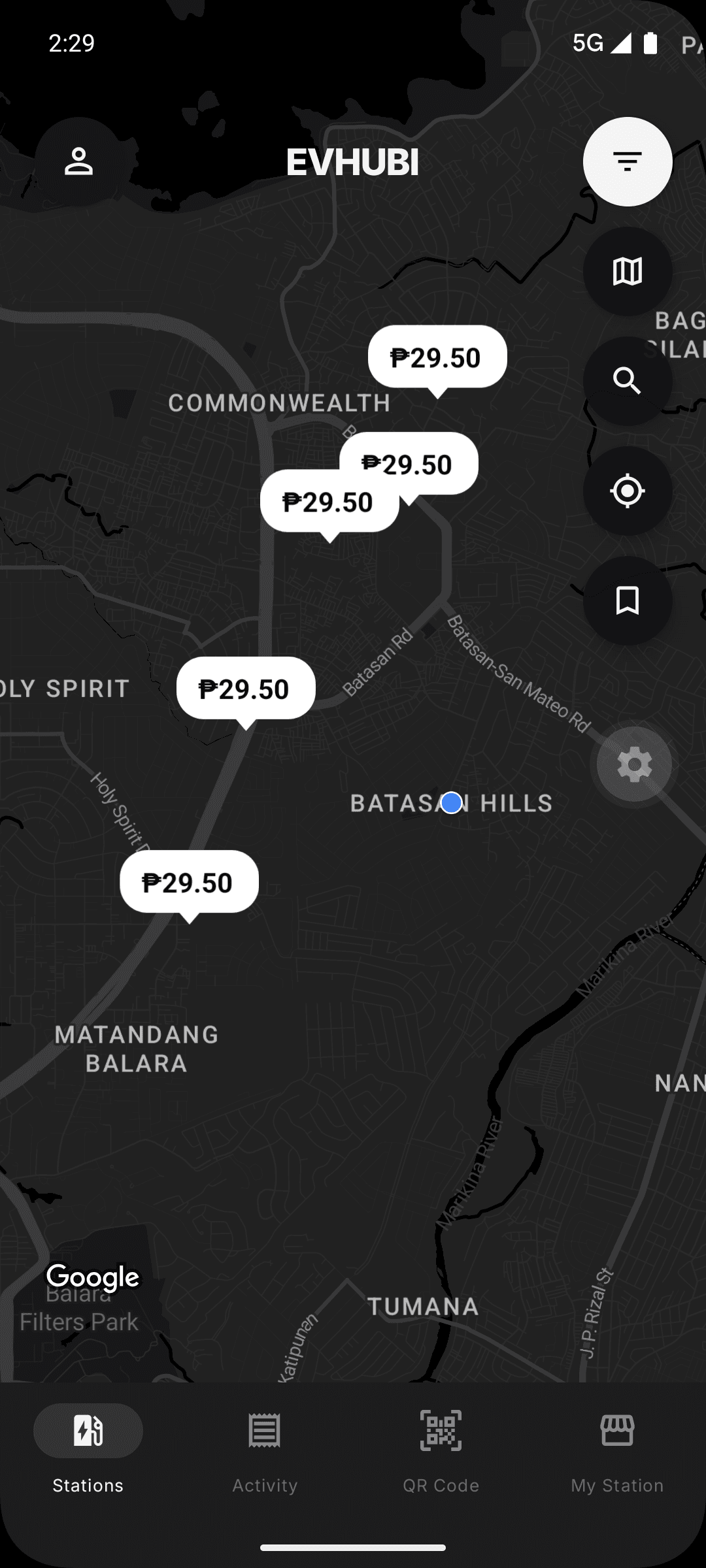
A map that only shows chargers you can use
Stations load as you move the map, so panning across the city keeps the pins current instead of resetting them. Filter by connector type and the map narrows to the plugs your car takes. Search a place by name and the camera moves there.
 CCS22 vacant
 CHAdeMO1 vacant
 Type 23 vacant
Connector, output and price before you drive
Each station page carries its connectors with vacancy per plug, maximum output, the per-kWh rate in pesos, access hours and notes, operator support contacts, and photos of the actual bay — so you can recognise the site when you pull in.
Hold the slot, then drive
Choose a day from the date strip, a connector, and a time block. Held blocks show as taken to everyone else, upcoming ones sit on your activity list, and a reservation can be cancelled from the same screen if plans change.
Every charge, itemised in pesos
A charge code starts the session and ties it to your vehicle. When it ends you get energy delivered, duration to the second, the rate you paid and the total — kept on your activity list so a month of charging is something you can actually add up.
My Station — your chargers as a business
List a site with photos, connectors, ports and a per-kWh rate, then watch what it does: sessions run, unique users, how many are charging right now, sites used, and total revenue. Newly added stations sit in review until approved, and edits keep that review in place.
All of it, the day it ships.
Everything on this page is built and in testing. Join the early-access list and we will email you when the app reaches the stores.
Own a charger instead? List your station →